


Word Search Quest - Puzzles
4.828.77K Reviews
App Specs
- Version
- 2.4
- Updated On
- License
- Free
- Downloads
- 100,000,000+
- Developer
- Blackout Lab
- Categories
- Word
- Platform
- Android, iOS
Screenshots
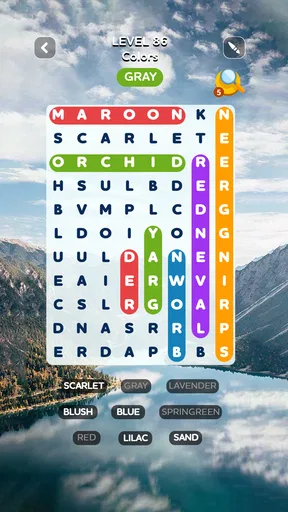
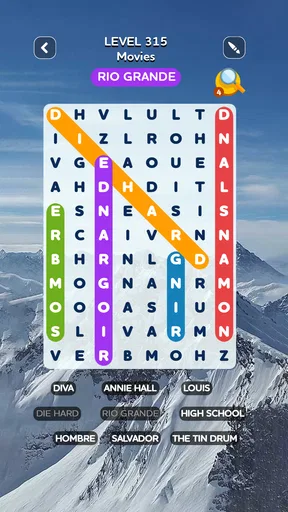
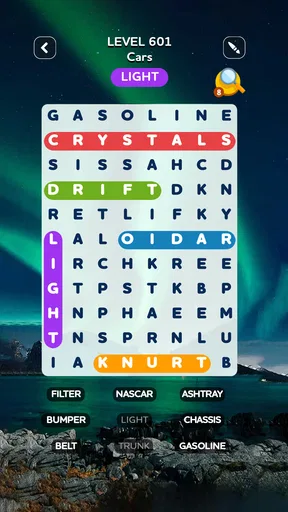
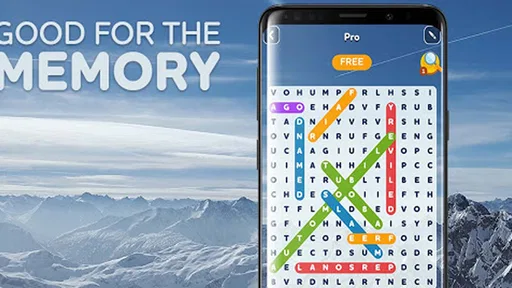
 Analysis by AppCompare
I like word-search games when I want something focused but easy to pick up, and Word Search Quest - Puzzles fits that mood. The basic appeal is immediate: scan a letter grid, spot a word, trace it, then decide whether to keep going. That simple action-and-reward rhythm makes it easy to begin a round without setting aside a whole evening.
Made by Blackout Lab, this free word game is suitable for everyone and has reached more than 100 million installs. Its 4.8 average from around 998,000 ratings suggests that the straightforward format works for a broad audience. I’d consider it most useful as a small daily puzzle habit, rather than as a deep strategy game or a substitute for a full-length book.
The Gameplay Experience
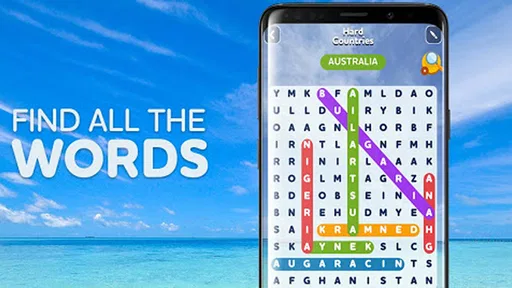
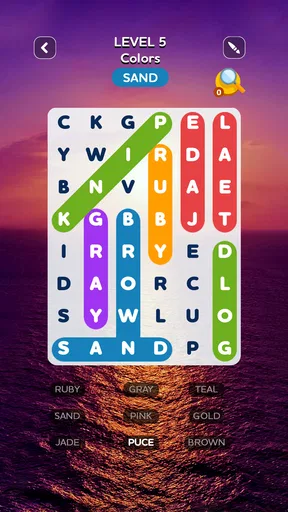
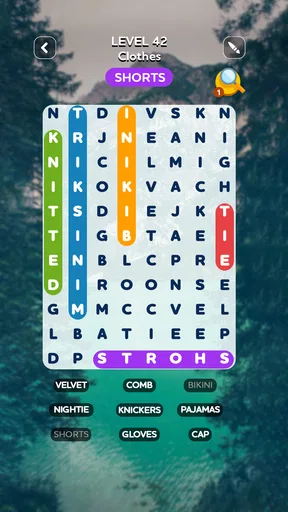
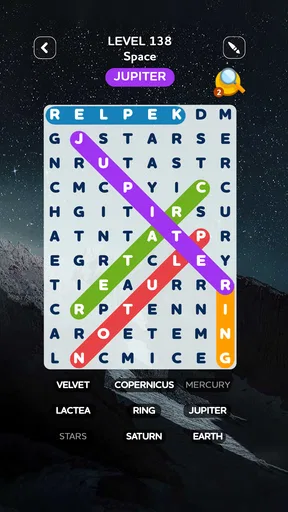
Jumping into Word Search Quest - Puzzles is like opening your favorite book—familiar yet exciting. The interface is clean and intuitive, making it easy to dive straight into the action. You start with a grid filled with a jumble of letters, and your mission, should you choose to accept it, is to find hidden words. It’s like being a detective, but with words!
The app offers a range of difficulty levels, so whether you’re a newbie or a seasoned wordsmith, there's something for you. I found myself particularly enjoying the timed challenges, which add an exciting layer of pressure. It’s all about finding that perfect balance between speed and accuracy.
Features That Stand Out
One of the things I absolutely love is the variety of categories available. Whether you’re into sports, history, or even pop culture, there’s a theme for you. This keeps the game fresh and ensures you’re always learning something new, even if it’s just a quirky new word.
Word Search Quest - Puzzles also offers daily challenges. These are a fantastic way to keep you coming back for more. Plus, the game tracks your progress, so there’s a sense of accomplishment as you watch your skills grow over time.
A Few Thoughts on Graphics and Sound
The visuals are simple yet pleasing, with bright colors and a layout that’s easy on the eyes. This is especially important when you’re staring at a screen for long periods. The sound effects are subtle, just enough to give you a little dopamine hit when you find a word, but not so much that it becomes distracting.
Worth Reading Before You Choose

Flipboard Shows What News Apps Must Do Beyond the Feed

Switching to Android Auto Means Rethinking Your Driving Routine

Google Calendar Makes a Crowded Week Easier to Manage

Ludo King Makes the Most of the Minutes Between Plans

Baby Panda World Brings Quick Play to Modern Phones, but Its Game Library Feels Busy

ESPN’s Live Game View Makes Following Close Games Easier
And if you’re like me and enjoy a bit of background music, you’ll be happy to know you can switch it up with your own tunes while playing. It’s the little things that make a big difference!
Making a Short Session Count
A useful way to fit the game into an ordinary day is to treat a puzzle as a small break between tasks. On a commute, while waiting for an appointment, or during a quiet pause at home, I can focus on one grid and stop when I need to return to something else. The grid-based format gives the session a clear task, so I don’t have to remember a story or complicated set of rules after putting my phone away.
For a calmer round, I’d choose a comfortable difficulty and search deliberately, scanning rows and columns instead of jumping randomly around the board. In a timed challenge, I’d do the opposite: quickly check the most promising letter patterns, while resisting the urge to swipe at every possibility. That small adjustment makes the pressure feel like a choice rather than a demand, and it helps keep a quick puzzle enjoyable even when I’m not chasing a personal best.
Why You’ll Keep Coming Back
What really keeps me hooked is the combination of relaxation and challenge. Sometimes I play to unwind, letting the words come to me at their own pace. Other times, I’m in it to win it, aiming for a high score or trying to beat my last record.
There’s also a social element to the game. You can connect with friends and see how you stack up against them. It adds a friendly competitive edge, which is always a bonus in my book.
What the Reward and Reset Feel Like
Finding a word gives each scan a small, immediate payoff: I recognize the pattern, trace it, and move on to the next target. That repeated feedback is the game’s main pleasure. It doesn’t need a complicated story to make a completed grid feel satisfying; the reward comes from turning a field of apparently mixed-up letters into a set of solved clues.
The daily challenge gives that loop a natural reason to restart on another day, while the different themes offer a way to change the flavor of a session. I’d use the themed categories when I want variety, and a familiar difficulty when I only have a few spare minutes. This is a modest kind of progression, not a promise of a new mode every time, but it suits a casual puzzle routine.
One practical tip is to pause briefly when a word doesn’t jump out. Instead of tracing the same area repeatedly, look for a distinctive first or last letter and scan outward from there. That approach can reduce aimless searching, especially on a screen where a quick swipe might cross the wrong line. It also turns the puzzle into a light exercise in visual attention rather than a test of how fast I can move my finger.
Where It Fits Among Word Puzzles
Compared with crossword puzzles, this is less about definitions and recalling facts; the challenge is spotting letter sequences already placed in the grid. Compared with word-building games, there’s no need to invent words from a rack of letters. That makes this a good pick when I want a clear visual task and a low barrier to entry, while someone who enjoys clues, vocabulary tests, or constructing words may prefer those alternatives.
The format is also easier to dip into than a long puzzle with a chain of connected clues. The trade-off is that the central activity stays familiar: search, select, and continue. If I wanted a changing narrative, a complex campaign, or a more demanding strategic system, I’d choose another kind of game. Here, repetition is part of the comfort, but it can also make extended sessions feel samey.
Who Will Enjoy It—and Who May Not
I’d recommend it to people who like word searches on paper, want a simple phone activity, or enjoy brief concentration breaks. It can also suit someone who wants a gentle challenge without learning elaborate controls. The Everyone age rating reflects its broad audience, though children may still benefit from taking breaks from screen time, as with any mobile game.
I’d be less likely to recommend it to a player who needs every session to introduce a new mechanic, or who dislikes timed pressure. If speed makes a word puzzle stressful, stick with untimed play where available rather than treating every round as a race. And if your main goal is to expand vocabulary through definitions, a dictionary-led word game is likely a better match than searching for words hidden in a grid.
Practical Details Before You Install
The game is free to download, with optional in-app purchases listed from $0.99 to $22.99 per item. I’d check the purchase prompts before handing a device to a child or letting a younger player use it unsupervised, and keep in mind that “free” does not mean every optional item costs nothing. The current version is 2.1.4, and it requires Android 7.0 or later on Android devices.
It was released on April 26, 2019, and has around 29,000 written reviews alongside its much larger pool of ratings. Those figures give a sense of how widely it has been tried, but they don’t tell me whether its particular rhythm will suit you; that depends on whether you enjoy visual scanning and repeated short puzzles. I’d start with a brief session and see whether the search itself feels relaxing or tedious.
Final Thoughts
All in all, Word Search Quest - Puzzles is a delightful addition to any puzzle lover's game collection. It’s thoughtfully designed, endlessly entertaining, and provides just the right amount of challenge to keep you engaged. Whether you’re looking to kill a few minutes or settle in for a long session, this app has got you covered.
So, if you haven’t already, give it a try. It’s available for download on both Android and iOS, and trust me, your inner word nerd will thank you!
Pros
- User-friendly interface enhances playability.
- Variety of puzzles keeps it engaging.
- Offline mode available for uninterrupted play.
- Regular updates introduce new puzzles.
- Customizable themes for a personalized experience.
Cons
- Ads can interrupt the gaming experience.
- Limited free puzzles without purchase.
- Some puzzles may repeat over time.
- In-app purchases can become costly.
- No multiplayer mode for competitive play.
FAQs for Word Search Quest - Puzzles
What is Word Search Quest - Puzzles and how does it work?
Word Search Quest - Puzzles is a mobile app designed to challenge your vocabulary and puzzle-solving skills. Players are tasked with finding hidden words within a grid of letters. The words can be arranged in any direction, including horizontally, vertically, or diagonally. As you progress, the puzzles increase in complexity, providing endless fun and mental stimulation.
Is Word Search Quest - Puzzles available for both Android and iOS?
Yes, Word Search Quest - Puzzles is available for download on both Android and iOS platforms. You can find it on the Google Play Store for Android devices and the Apple App Store for iOS devices. This ensures that players on both operating systems can enjoy the game seamlessly.
Are there any in-app purchases in Word Search Quest - Puzzles?
Word Search Quest - Puzzles is free to download and play. However, it does offer in-app purchases. These are generally for additional features, hints, or to remove ads. While the game is fully enjoyable without paying, these purchases can enhance the experience for those who prefer an ad-free environment or need extra help with challenging levels.
Does Word Search Quest - Puzzles require an internet connection to play?
No, Word Search Quest - Puzzles does not require a constant internet connection to play. Once downloaded, you can enjoy the puzzles offline, making it a perfect companion for travel or areas with limited connectivity. However, some features, like in-app purchases or updates, will require an internet connection.
How often are new puzzles added to Word Search Quest - Puzzles?
The developers of Word Search Quest - Puzzles regularly update the app with new content to keep the gameplay fresh and engaging. While the frequency of updates might vary, players can typically expect new puzzles and features to be added periodically, ensuring a continuous and evolving challenge.


